
iPhone · iPad
How was it, really?
SensiNote turns that question into one gesture. Slide the pill to the feeling, write a line, tag who was there. Free to use, and every entry stays yours.
Good
Drag the pill.
iPhone and iPad · iOS 17 or later
Sensi
+Today
- 😊
Ran the loop by the river before work
Today, 07:20 - 😄
Long lunch with Mara, first time since March
Today, 13:05M
Last week
- 🙁
Deploy slipped again
Yesterday, 18:40JP - 😕
Called Dad, he sounded tired
Yesterday, 20:15D
One entry
A mood, a moment, and who was there
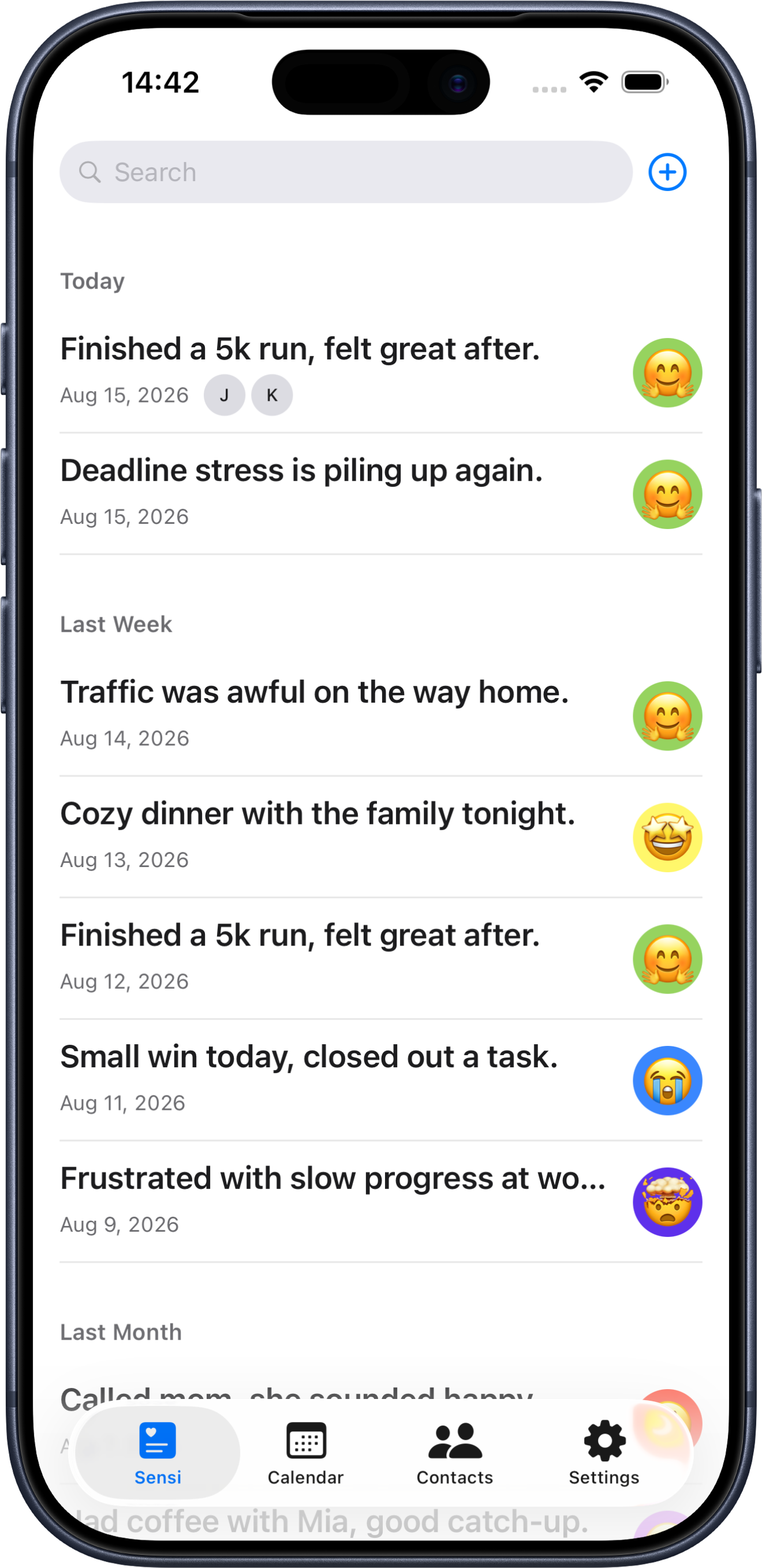
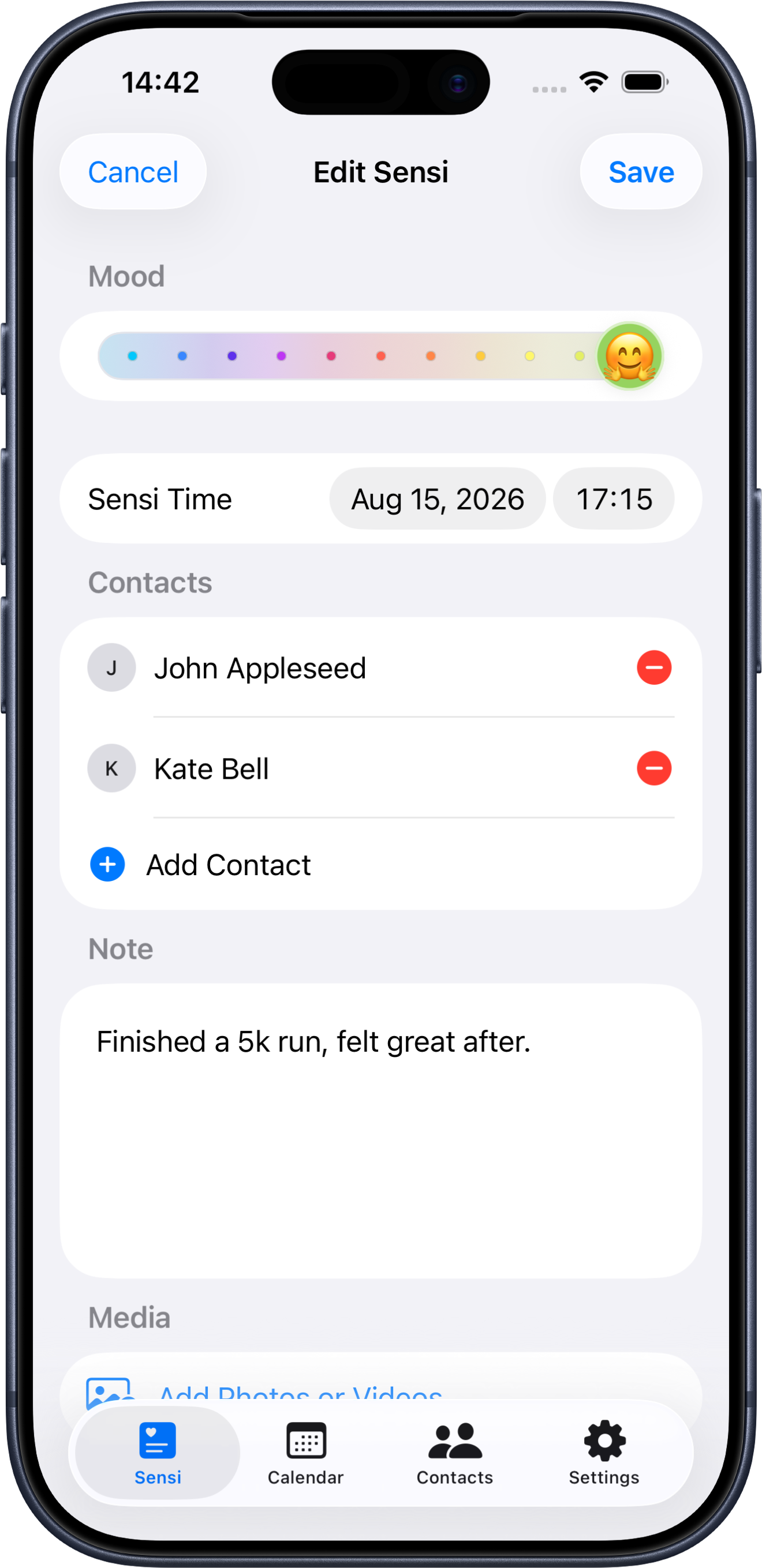
An entry — a Sensi — is small on purpose. First line of your note becomes the title, second line becomes the subtitle, exactly like Notes. Everything else is optional.
- The mood
- Eleven steps, from -5 to +5. Drag the thumb along the pill; the colour and the face change as you go.
- The note
- Plain text. Line one becomes the title in your list, line two the subtitle. No character limit.
- The time
- Defaults to now, down to the minute. Move it back to log something from this morning, or forward for what's coming.
- The people
- Attach anyone from your contacts. Their avatars sit on the row, and the entry shows up on their page too.
- The photos
- Photos and videos in a square grid — pinch to fit one, three, or five per row, tap for full screen.
Long lunch with Mara, first time since March
She's moving back in the autumn. Walked the long way home.
Calendar
A year of feeling, at a glance
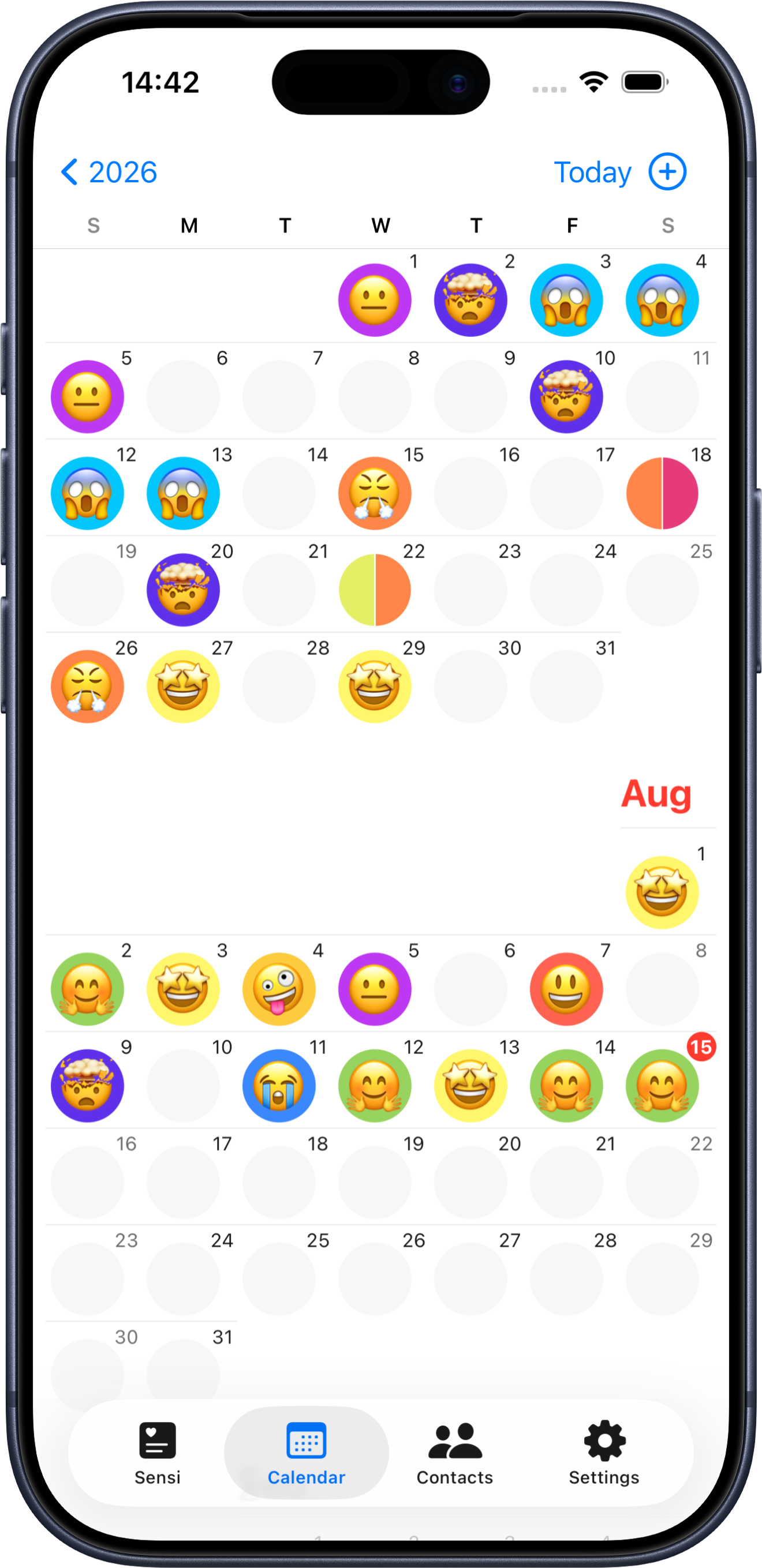
Zoom out to the year and every date becomes its mood. A day with one entry shows its face; a day with several splits into wedges.
2026
YearJan
Feb
Mar
Apr
May
Jun
- 1
Year
Three months to a row, each date drawn as its mood — scroll through the whole year.
- 2
Month
Day numbers in the corner, moods filling the grid. Tap any day to open it.
- 3
Day
A week strip on top, that day's entries below. Swipe to move a day, or a week.
People
The same day, from both sides
Import someone from your contacts or add them by hand. Names, phone, email and address come across, and you can crop their photo right in the app.
Open a person to see every entry you logged with them.
Add a new entry straight from their page — they're attached already.
Tap an avatar inside an entry to jump to that person.
Sensis
+- 😄
Long lunch, first time since March
Today
- 🙂
Helped her pack the studio
Jul 2
- 🙁
Missed her call, twice
Jun 19
Screens
The same app, both themes
SensiNote follows your system appearance. The mood colours were sampled to stay legible on either.
Your scale
Eleven colours. Eleven faces. Yours.
The defaults are only a starting point. Give every step the colour and the emoji that mean something to you — then decide what happens to the entries you already saved.
Mood scale
Sample
- Set any step
- Tap a well to pick a colour, tap the face below it to pick an emoji. One glyph per step.
- Old entries keep their face
- Each entry stores the emoji and colour it was saved with, so your history doesn't rewrite itself behind your back.
- Restamp when you want to
- Changed your mind? Slide to confirm and re-stamp one step, or the whole history, with the current palette.
Details
Small things you'll feel every day
Pull down to write
Pull past the line on any list and let go — a new entry opens, already on the right day or the right person. Push back up to cancel.
One nudge a day
A local reminder at the time you choose, 19:00 by default. Tap it and the editor is already open.
Light and dark
Follows the system, and the mood colours were picked to hold up in both.
Ten languages
English, German, Spanish, French, Italian, Japanese, Korean, Dutch, Simplified and Traditional Chinese.
Built for both screens
iPhone and iPad, with the scale and the pill laid out to match the larger canvas.
No account
Open the app and start. Nothing to sign up for, nothing to sign in to.
Your journal stays yours
There is no server of ours behind SensiNote. Entries, photos and the people you import live in the app's own storage, and sync through your own private iCloud. No account, no analytics. The free version shows a banner on the three main lists — it never reads what you wrote, and $2.99 removes it for good.
Read the privacy policy